Categories
Apple

Helpful tips for connecting your Mac to an external monitor

If you want to be more productive on your Mac, adding a second monitor is the best solution. You’ll be able to work on large spreadsheets and compare documents side by side more easily without cluttering up your primary screen. Follow these steps to connect your Mac computer to an external monitor. Check the ports […]

Categories
Apple

Keep your iPhone text messages private with these tips

If you’re a business owner who relies on text messages to communicate with employees, clients, or customers, it’s essential to ensure the privacy and security of your messages. Unfortunately, there are many ways for others to go through your texts if they have access to your mobile phone. In this blog post, we will discuss […]

Categories
Apple

5 Reasons SSDs are better than HDDs for Macs

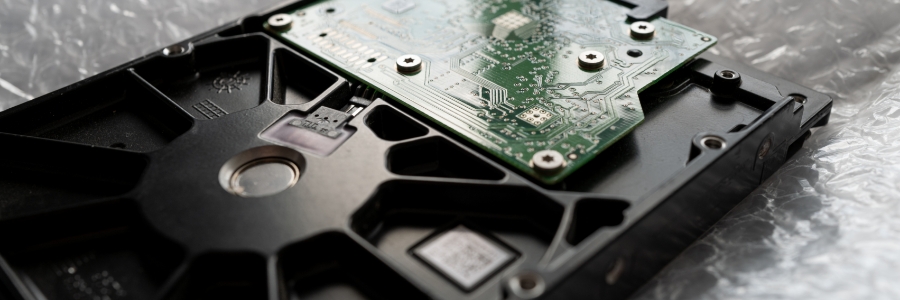
Solid-state drives (SSDs) are fast becoming the standard for data storage because of their many advantages over hard disk drives (HDDs). Here are the top five reasons SSDs are better than HDDs for Macs. SSDs are more reliable All types of disk drives are more likely to fail with age, but SSDs are more resistant […]

Categories
Apple

Why you shouldn’t jailbreak your iPad

Only Apple-approved apps found in the App Store can be downloaded and installed onto iPads and other Apple devices. Users who want to install apps not authorized by Apple often resort to jailbreaking their devices. What exactly is jailbreaking, and what are its effects on your iPad? Read on to find out. What is jailbreaking? […]

Categories
Apple

Be more productive with these Mac keyboard shortcuts

Keyboard shortcuts can enhance users’ productivity and save time, but not everyone knows about them. If you own a Mac, these are the keyboard shortcuts you need to start using now. Minimize or dock the front app window: Command + M If you have several open apps, browsers, and Finder windows, use this shortcut to […]

Categories
Apple

How to move data from your old PC to your new Mac

If you’re switching from a Windows PC to a Mac, and you’re worried about losing years’ worth of data on your old machine, don’t fret. Changing platforms doesn’t have to mean starting over with Apple’s free tool called Windows Migration Assistant. Learn how to move contacts, calendars, email accounts, and more from your PC to […]

Categories
Apple

Is malware a problem on Macs?

There’s a common misconception that Apple computers can’t get infected with malware. The truth is Macs are resistant to most Windows-based bugs and malicious codes but they aren’t invulnerable. Here are some threats that can compromise your Mac and how to tell that you’ve been infected. What are the threats that can affect your Mac? […]

Categories
Apple

How to use external monitors with Mac computers

It’s much more convenient to work when you have two monitors. In case you’re using a Mac computer (a MacBook Pro, MacBook Air, or Mac mini) and want to hook an external monitor to it, we’ve got a few tips for you. First, check which displays your Mac device supports by doing the following: Click the […]

Categories
Apple

Want to get rid of your Mac? Not so fast

Buying a secondhand Mac is a popular way to save money on relatively expensive equipment that retains its value. Conversely, selling your used Mac is a great way to expose yourself to identity theft — unless you follow these steps to keep your personal information safe. 1. Back up your files You don’t want the […]

Categories
Apple

How to protect your Mac from cyberthreats

There’s a myth that Macs are virtually immune to malware and viruses. But it’s exactly that: a myth. While Macs may face fewer threats than Windows computers, they are still vulnerable to a wide array of cyber risks. Fortunately, protecting your Mac is fairly simple. Start with these security tips. Check your privacy settings Make […]